What if I told you that the CMS once dismissed as “too technical for content teams” just shipped the most intuitive visual editor in the enterprise space?
That is not marketing hype. That is Drupal CMS 2.0.
On January 2026, the Drupal community quietly released something extraordinary: a version of Drupal that feels nothing like the Drupal most people remember. No more hunting through nested admin menus. No more explaining to clients why they cannot just “drag that block over there.”
They can now. And it looks beautiful while doing it.
I have been building enterprise Drupal sites for nine years. I have defended this CMS in countless meetings, explained its power to skeptical stakeholders, and watched talented content editors struggle with interfaces that were built for developers, not humans.
Drupal CMS 2.0 is the answer to every criticism I could not fully refute.
Let me show you why this changes everything.
The Problem That Drupal CMS 2.0 Solves
Before we dive into features, let us be honest about where Drupal has historically struggled:
The Content Editor Paradox
Drupal has always been extraordinarily powerful for developers. Custom content types? Trivial. Complex permission systems? Built-in. Multilingual support? World-class.
But ask a marketing manager to update a hero banner, and you got this:
| What They Wanted | What They Got |
|---|---|
| Drag an image into place | Navigate to Admin, Content, Edit, Scroll to field, Upload, Save |
| See changes instantly | Clear cache, wait, refresh, maybe see it |
| Rearrange page sections | Call a developer and wait |
| Feel confident | Feel frustrated |
The result? Organizations would choose Drupal for its power, then watch their content teams beg for WordPress because they could actually use it.
This was not a failing of Drupal is architecture. It was a failing of its default experience.
CMS 2.0 fixes this at the core.
Introducing Drupal Canvas: The Game Changer
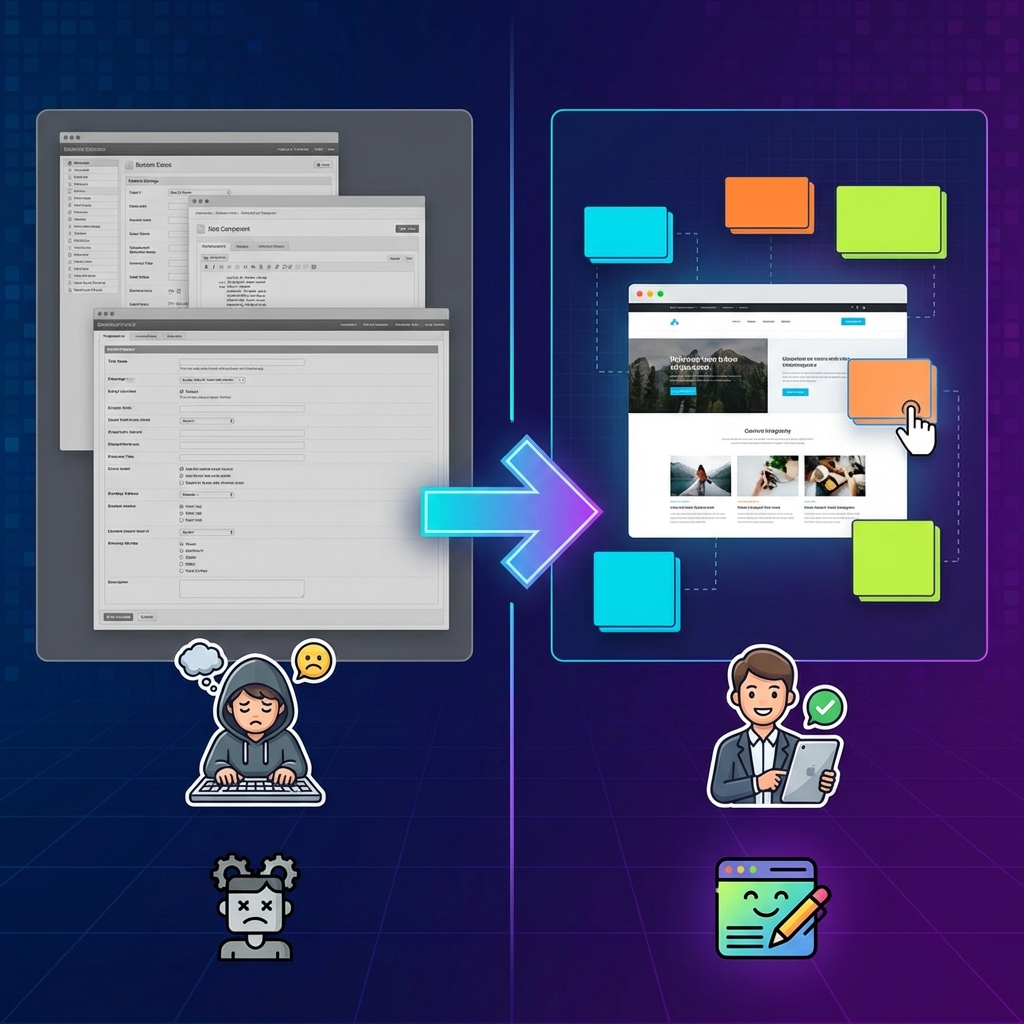
Here is the headline: Canvas is true drag-and-drop with live preview.
Not “sort of” drag-and-drop. Not “configure this, then preview that.” Real, honest-to-goodness grab a component and put it where you want it editing.
How Canvas Actually Works
Canvas transforms the editing experience through three fundamental shifts:
1. Visual Component Placement
Instead of creating content through forms and hoping it looks right, editors now see the actual page and manipulate it directly. Components appear as draggable blocks. Placement is immediate. Feedback is instant.
2. Real-Time Editing
Click on any text and edit it in place. The changes appear as you type. No saving, refreshing, or cache clearing. What you see is literally what you get.
3. Mercury Component Library
Canvas ships with Mercury, a custom-built component library that provides common building blocks:
| Component | What It Does |
|---|---|
| Heroes | Full-width headers with backgrounds, CTAs |
| Cards | Flexible content containers with variants |
| Testimonials | Styled quote displays with attribution |
| Menus | Navigation components with states |
| Accordions | Expandable content sections |
| Carousels | Image and content sliders |
These are not just “blocks.” They are designed, tested, production-ready components that actually look good out of the box.
The Real-World Impact
Let me translate this for different stakeholders:
For Content Teams:
- Make changes in minutes, not hours
- Stop waiting for developer availability
- Experiment with layouts without breaking anything
- Actually enjoy updating the website
For Developers:
- Fewer support tickets for “simple” changes
- More time for complex feature work
- Happy clients who understand the value you built
- Documentation that demonstrates capabilities visually
For Organizations:
- Lower total cost of ownership
- Faster time-to-publish
- Better adoption of the CMS investment
- Reduced training overhead
Site Templates: Start Finished, Not Empty
Drupal CMS 2.0 introduces a concept that WordPress has leaned on for years, but with Drupal is characteristic thoroughness: site templates.
What Are Site Templates?
Site templates are not themes. They are complete, functional starting points for specific use cases.
The first template, Byte, demonstrates this perfectly:
| Feature | Included |
|---|---|
| Design System | Elegant dark theme, fully designed |
| Blog | Complete with listings, categories, authors |
| Newsletter Signup | Integrated forms with validation |
| Pricing Pages | Tiered comparison layouts |
| Contact Form | With validation and submission handling |
| Marketing Structure | Landing pages, CTAs, conversion paths |
This is not “install and configure.” This is “install and launch.”
The Starter Alternative
Not every project fits a specific template. For those cases, Starter provides:
- Canvas integration via Mercury
- Clean foundation for any use case
- Full branding flexibility
- Component library access
And for teams building their own templates, the Drupal CMS Site Template Starter Kit provides scaffolding to create reusable starting points.
The AI Integration That Actually Matters

Let us talk about AI. Not the buzzword version. The practical version.
Drupal CMS 2.0 includes optional AI features that solve real content creation problems:
Canvas AI: Pages From Prompts
This is the headline feature: generate complete landing pages from text prompts.
Instead of starting with a blank page and manually adding components, content creators can describe what they need:
“Create a landing page for our new product launch with a hero section, three feature cards, customer testimonials, and a signup form.”
Canvas AI interprets this and generates a fully structured page using Mercury components. It is not perfect on the first try—but it is an excellent starting point that editors can then refine.
Admin Chatbot
The admin chatbot helps with site-building tasks:
| Task | How It Helps |
|---|---|
| Creating content types | Suggests field configurations based on requirements |
| Defining taxonomy | Recommends vocabulary structures |
| Adding fields | Proposes field types based on data descriptions |
This is not replacing developers. It is reducing the cognitive load of routine configuration.
Alt Text Generation
Every image upload can now have AI-generated alt text. This sounds simple, but consider:
- Accessibility compliance becomes automatic
- SEO improves without manual effort
- Content teams move faster
Flexible AI Configuration
The AI features work with:
- amazee.ai (free trial option)
- OpenAI (via API key)
- Anthropic (via API key)
The AI Dashboard provides visibility into available features and configured providers—no guessing about what is active.
Installation: Finally, Actually Easy
The traditional Drupal installation narrative was “powerful but complex.” CMS 2.0 addresses this directly:
The Launcher App
For quick evaluation, the Drupal CMS Launcher provides a one-click try-it experience. No local environment. No command line. Just… launch.
The DDEV Path (Recommended)
For production-ready installations, DDEV version 1.24.0+ makes setup straightforward:
ddev config --project-type=drupal11 --docroot=web
ddev composer create-project drupal/cms
ddev composer drupal:recipe-unpack
ddev launch
Four commands. That is it. From nothing to running CMS 2.0 in minutes.
Traditional Installation
Already have a local server and database? The familiar path still works:
composer create-project drupal/cmsStandard Drupal installation from there.
What About Existing Sites?
This is the question experienced Drupal developers are asking: What does this mean for my current sites?
If Your Current Site Works
You do not have to do anything.
Drupal CMS is a starting point. Once installed, it is standard Drupal that updates normally. No forced migrations. No breaking changes.
Adding Canvas to Existing Sites
Want Canvas on your current Drupal 11 site? You can install it directly. Important considerations:
| Factor | Detail |
|---|---|
| Theme Compatibility | Not all themes are Canvas-ready |
| Component Themes | You need a component-based theme |
| Mercury Option | Open-source, Canvas-compatible, adaptable |
| Migration Paths | Layout Builder and Paragraphs migrations coming |
Using Individual Recipes
CMS 2.0 recipes can be installed individually via Composer. Be aware:
- Recipes do not have update paths
- Applying to existing sites may not replicate full functionality
- Test thoroughly in development first
The Honest Assessment: What This Changes and What It Does Not
After nine years with Drupal, I am not going to pretend CMS 2.0 solves everything. Here is my honest take:
What CMS 2.0 Genuinely Improves
| Area | Improvement |
|---|---|
| Content Team Adoption | Dramatically better—the experience finally matches expectations |
| Time-to-Launch | Site templates cut initial development significantly |
| Visual Editing | Canvas is genuinely excellent, not just “good for Drupal” |
| AI Integration | Practical, focused, not gimmicky |
| First Impressions | New evaluators will see modern software, not legacy CMS |
What Remains Challenging
| Area | Reality |
|---|---|
| Enterprise Complexity | Still requires experienced developers for complex builds |
| Migration | Moving from Layout Builder or Paragraphs is not seamless yet |
| Theme Development | Creating Canvas-ready themes requires component thinking |
| Learning Curve | Developers still need Drupal-specific knowledge |
| Hosting | Not a simple hosting, resource requirements unchanged |
The Net Assessment
Drupal CMS 2.0 does not abandon what made Drupal powerful. It adds what was missing: an experience layer that matches the capability layer.
For new projects, especially marketing sites and SaaS products, this is now a genuinely competitive option against platforms it previously lost to on “ease of use” grounds.
For existing Drupal shops, this is the demo you have been waiting for. When clients ask “can content teams actually use this?”—now you can show them Canvas and watch their concerns dissolve.
Who Should Care About This?
Let me be direct about who benefits most:
Digital Agencies
If you have been pitching Drupal and losing to WordPress or Webflow on “content team experience,” CMS 2.0 changes your pitch fundamentally.
Enterprise Marketing Teams
If your Drupal site requires developer intervention for every content update, advocate internally for a Canvas evaluation. The productivity gains are measurable.
Technical Evaluators
If you dismissed Drupal in previous evaluations for complexity, it is time for a fresh look. The gap has closed significantly.
Existing Drupal Developers
If you have been waiting for Drupal to “catch up” on visual editing, it has. Canvas is not a compromise—it is a genuine leap forward.
The Bottom Line
Drupal CMS 2.0 is not an incremental update. It is a strategic repositioning.
For years, Drupal is message was: “We are powerful, and power requires complexity.”
CMS 2.0 says something different: “We are powerful, AND we are accessible.”
The Canvas visual editor is not a simplified mode for non-technical users. It is the primary editing experience, built thoughtfully while preserving everything that makes Drupal capable in ways other platforms cannot match.
The AI features are not gimmicks. They are practical accelerators that reduce friction without pretending to replace human judgment.
The site templates are not themes. They are production-ready starting points that collapse weeks of development into installation.
This is the Drupal that should have existed five years ago. It is here now.
If you have been waiting for a sign to evaluate Drupal for your next project—or to upgrade how you pitch Drupal to clients—this is it.
The enterprise CMS landscape just got more interesting.
Getting Started
Ready to try it?
Quick Evaluation: Download the Drupal CMS Launcher for instant try-it access.
Proper Installation:
ddev config --project-type=drupal11 --docroot=web
ddev composer create-project drupal/cms
ddev composer drupal:recipe-unpack
ddev launch
Documentation: Visit drupal.org for complete guides, Canvas documentation, and community support.
Have you tried Drupal CMS 2.0 yet? I would love to hear your experience—especially if Canvas has changed how your content teams work. Drop a comment or find me on LinkedIn.
The conversation about what “enterprise CMS” means is shifting. This is part of that shift.